For everyone
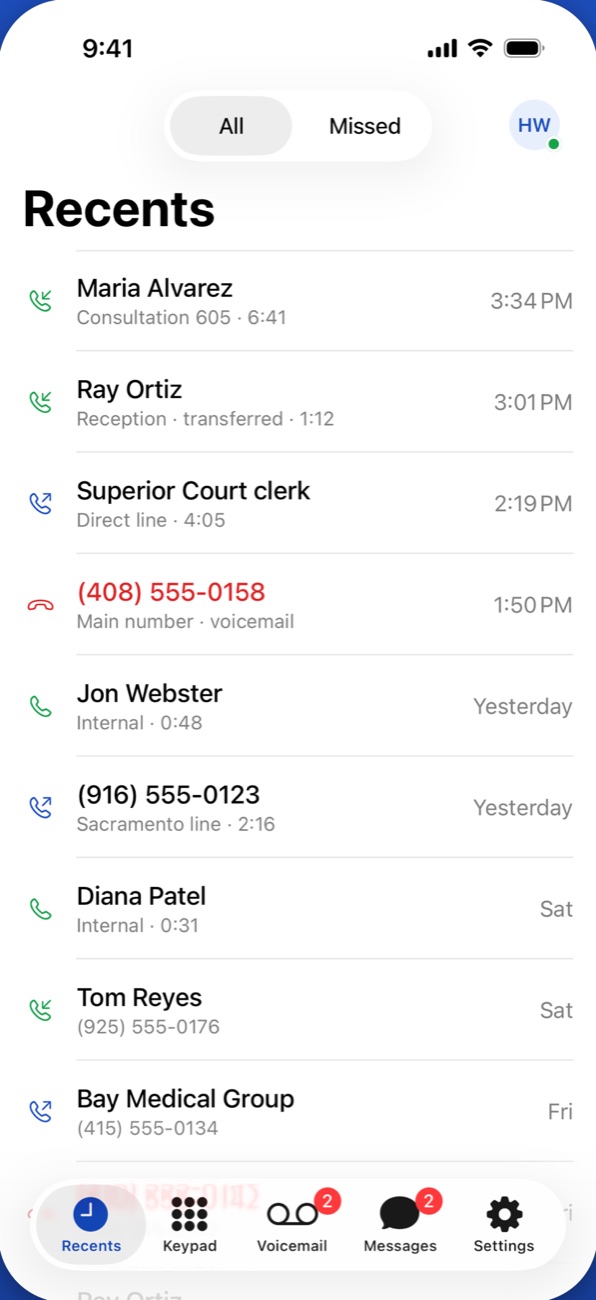
Your extension rings on your desk phone, your iPhone or Android and your browser, with the same caller ID and the same voicemail.
- Answer on any device
- Voicemail transcripts in the app and by email
- Do not disturb on every phone at once
KeyPBX is the hosted phone system for growing businesses. One extension rings your desk phone, your mobile and your browser, with call flows anyone can read, voicemail you can read, and people who pick up when you call us.
Works with the phones you already have
Speaks to your existing applications
One system, every seat
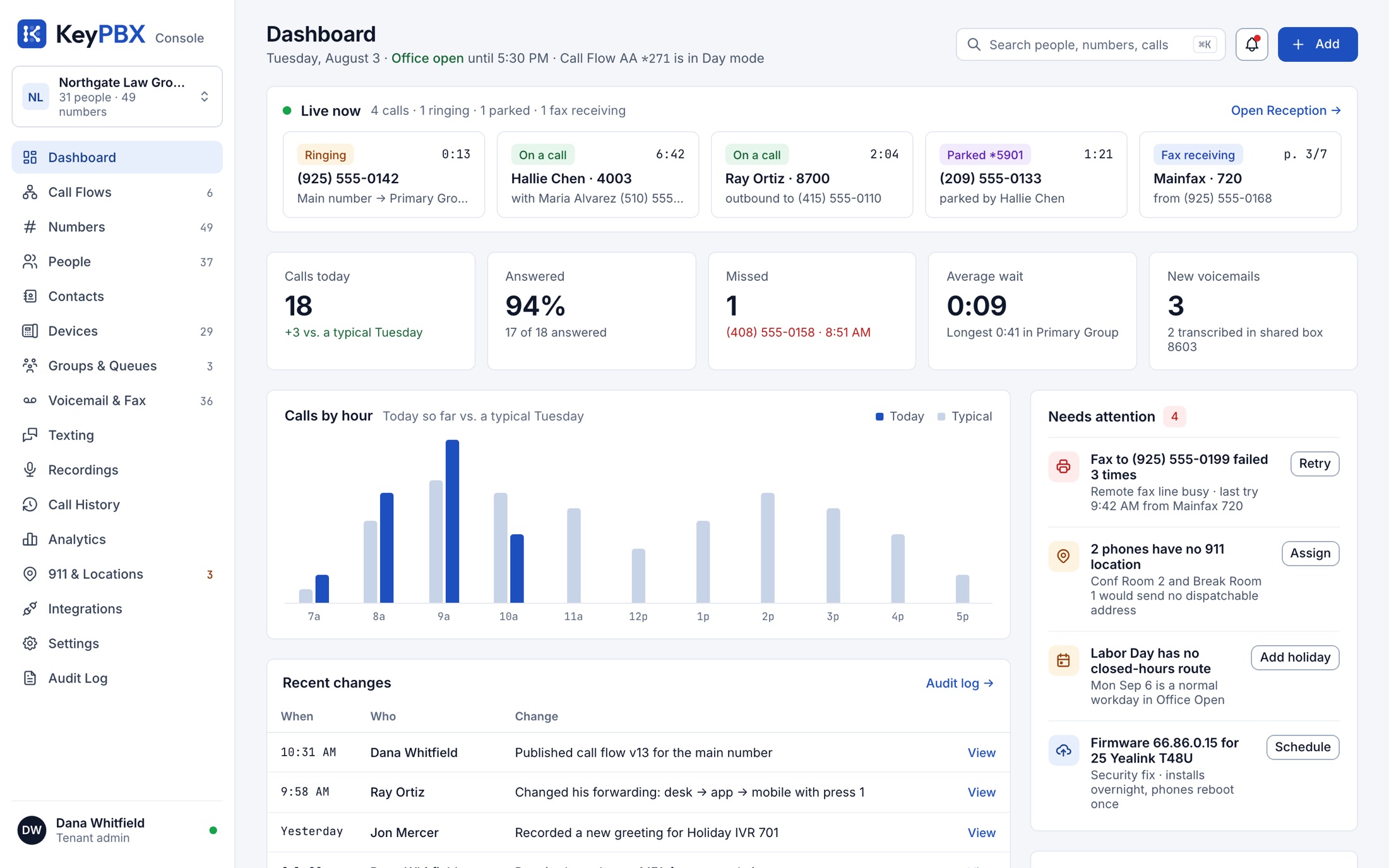
Staff answer from wherever they are. Office managers change hours and menus without filing a ticket. Reception sees the whole building at a glance. It’s all one KeyPBX.
Your extension rings on your desk phone, your iPhone or Android and your browser, with the same caller ID and the same voicemail.
Change hours, menus and who answers yourself, in plain language. Every change is saved as a version you can roll back.
See who’s free, park calls and transfer with a drag, working alongside the desk phone your receptionist already uses.
Call flows
Numbers, office hours, menus, ring groups and voicemail sit on one canvas. Ask “what happens if someone calls at 6 pm on Saturday?”, watch the path light up, then publish when it’s right.
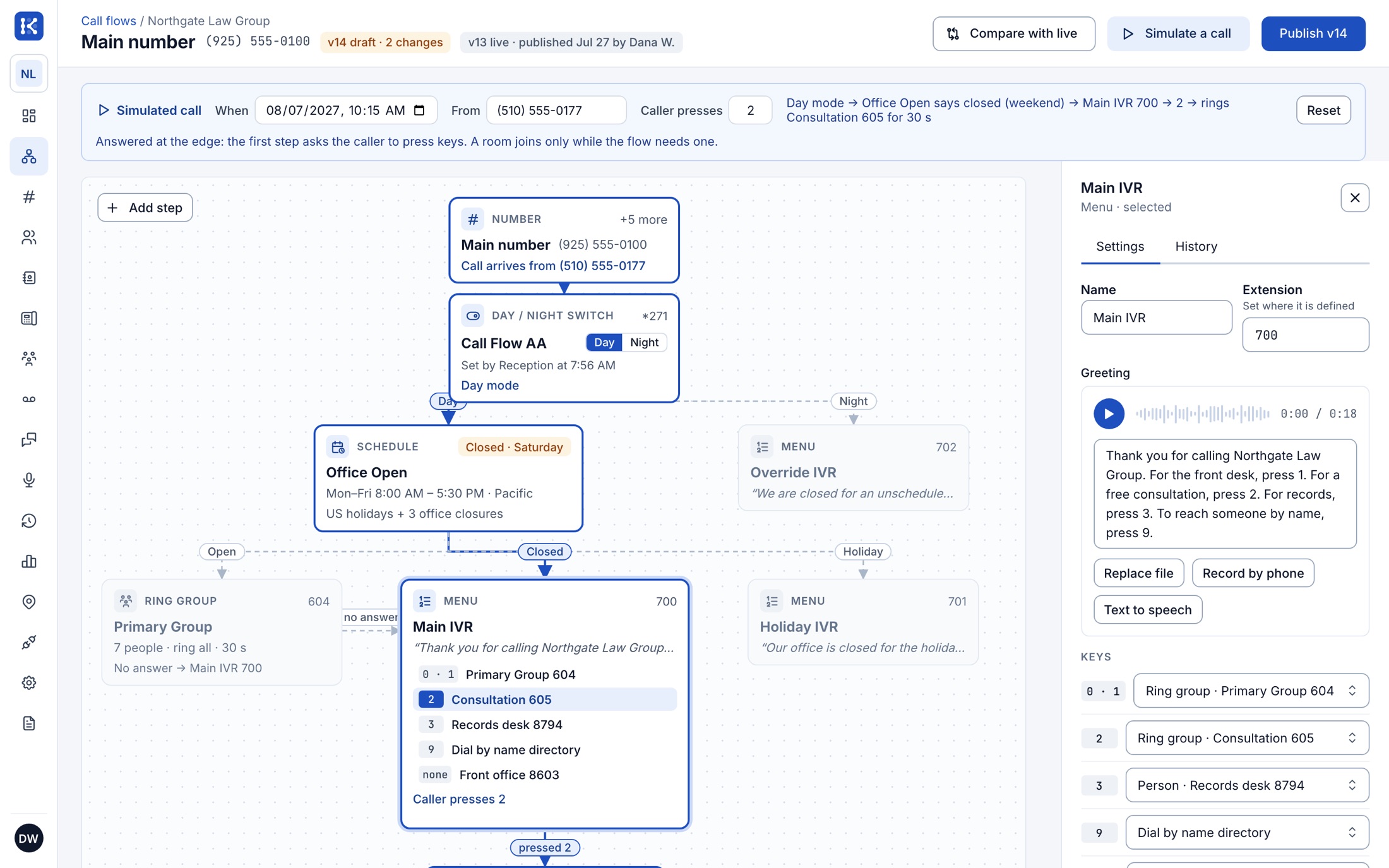
Pick a day, a time, a caller and the keys they press. The route lights up step by step.
Work on a draft while the live version keeps answering. Compare, publish, and roll back in one click.
Every path has to end at a person, a voicemail box or a message before you can publish.
“Ring everyone at once”, not “enterprise strategy”. Built for office managers, not phone engineers.
KeyPBX apps
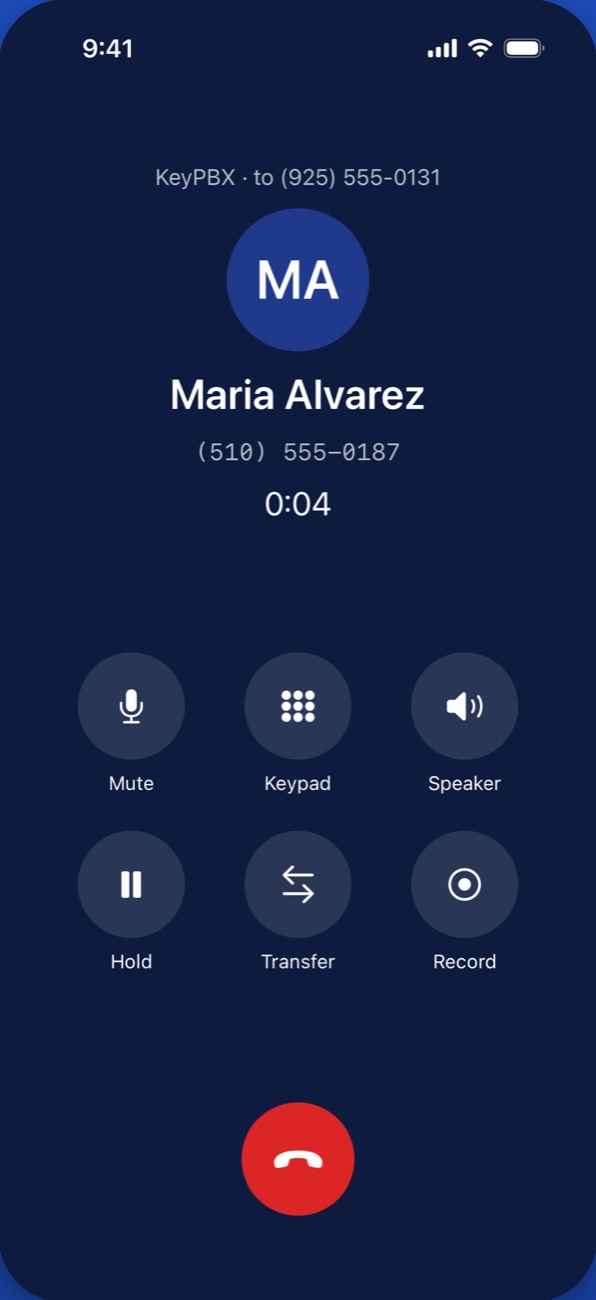
Sign in once and your extension rings on iPhone, iPad, Android and in any modern browser, as well as on your desk phone. Same number, same caller ID, same voicemail.
Dialing 911 in the iPhone app hands the call to the Phone app, so emergency services get your location from your mobile carrier.
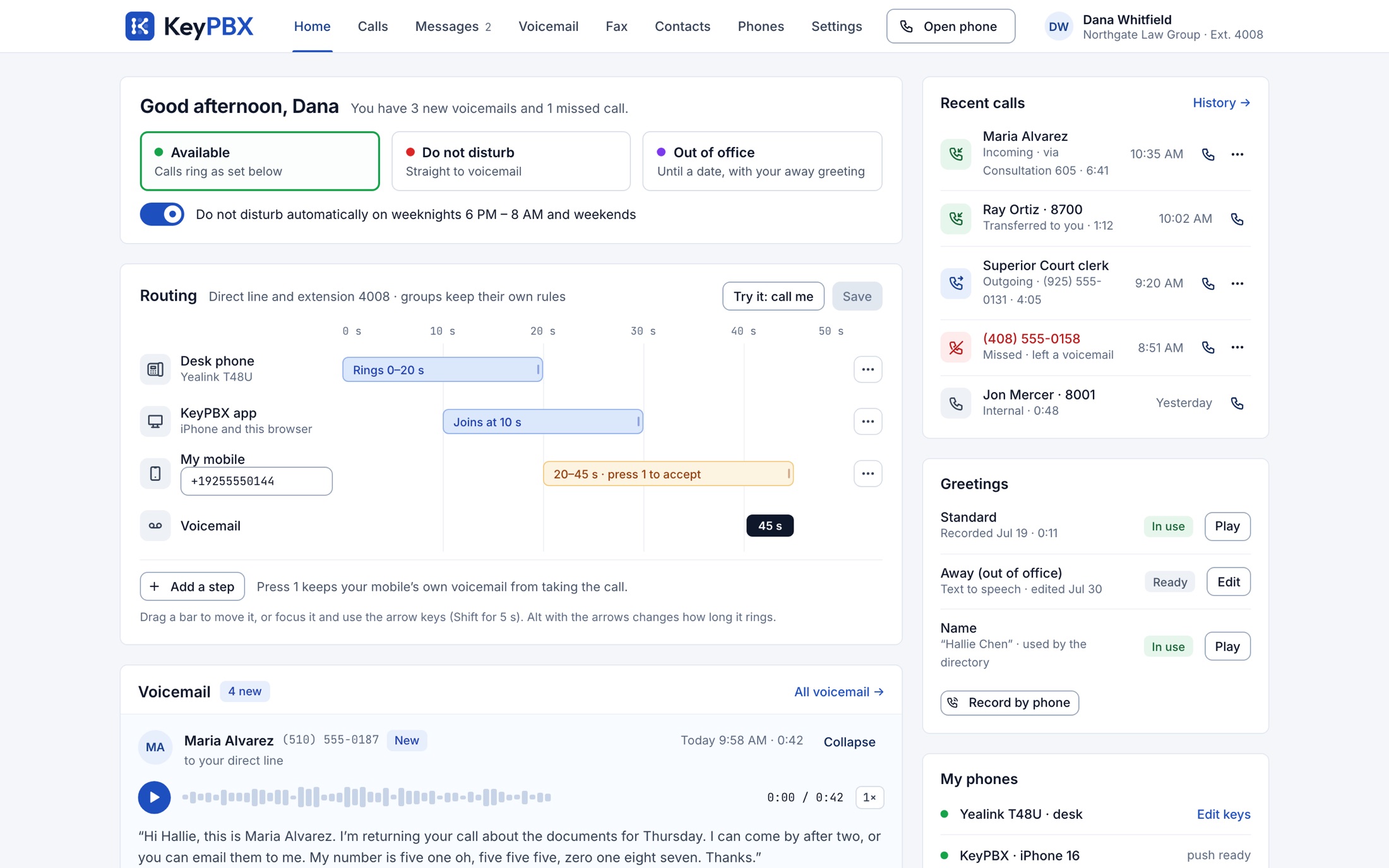
My KeyPBX
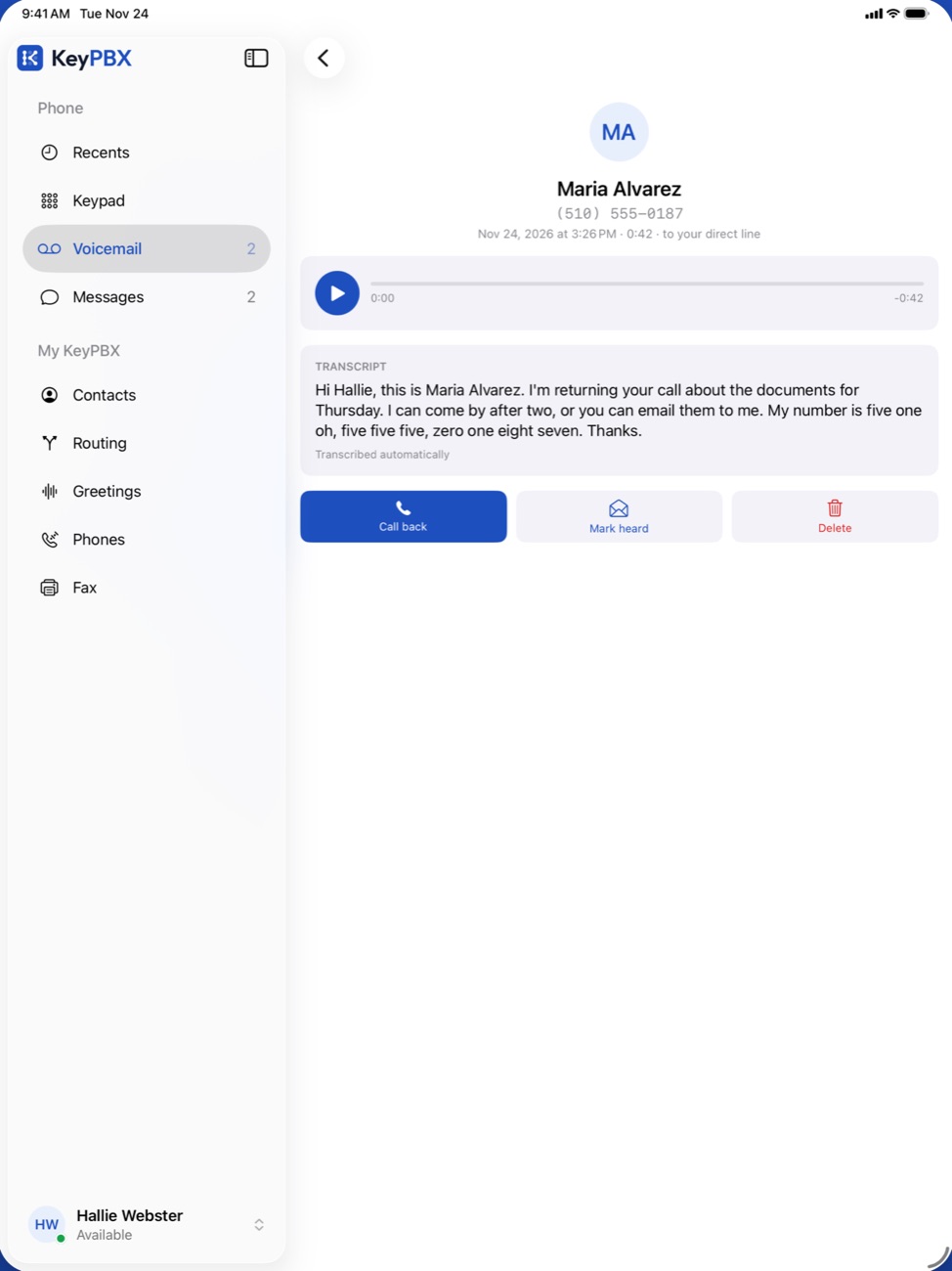
Each person gets their own page for how calls reach them. Nobody has to email IT to change a forward again.
Reception and wallboards
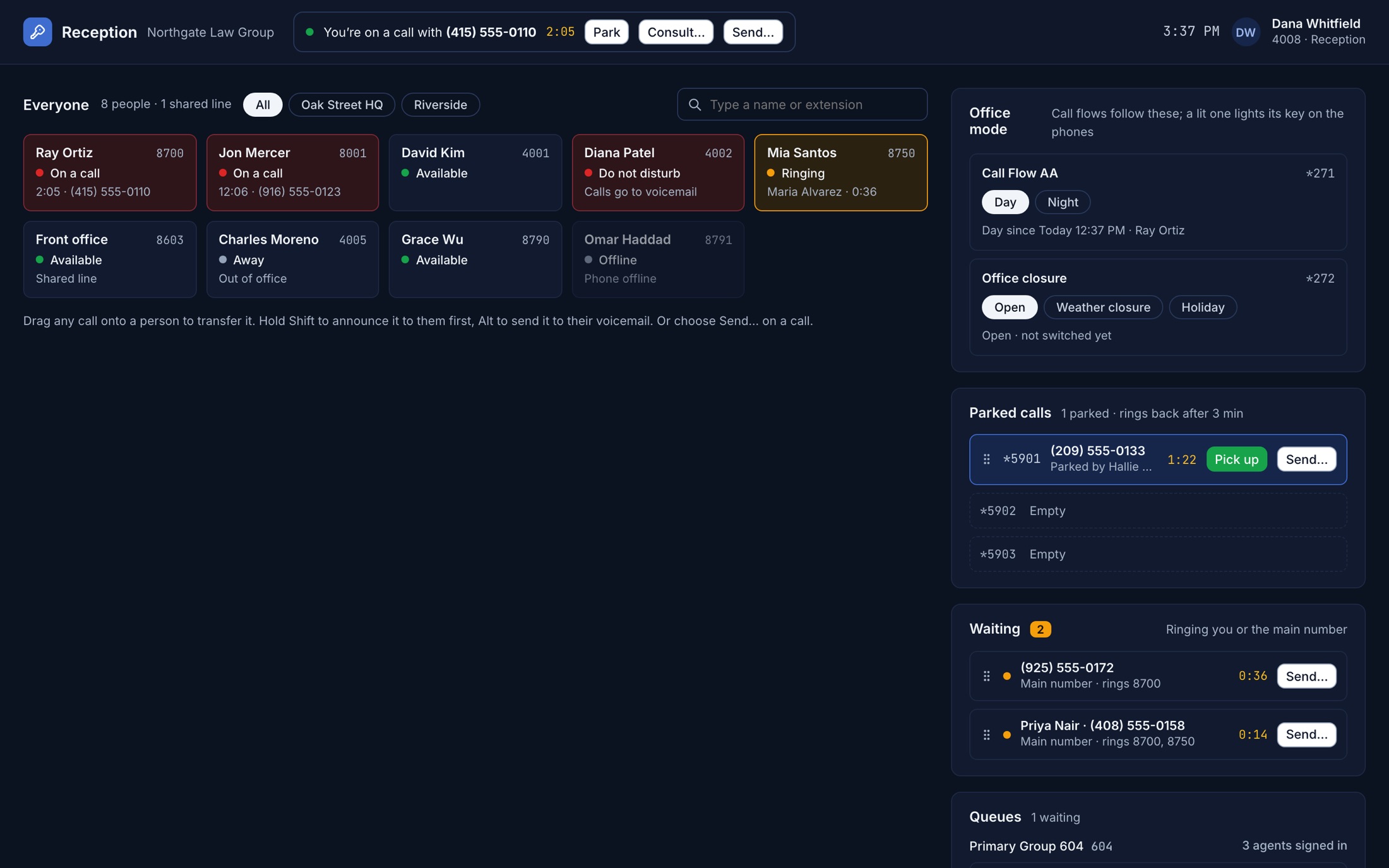
Reception shows who’s free, who’s on a call and who’s waiting, live. Drag a call onto a person to transfer it, and it works with the desk phone your receptionist already has.
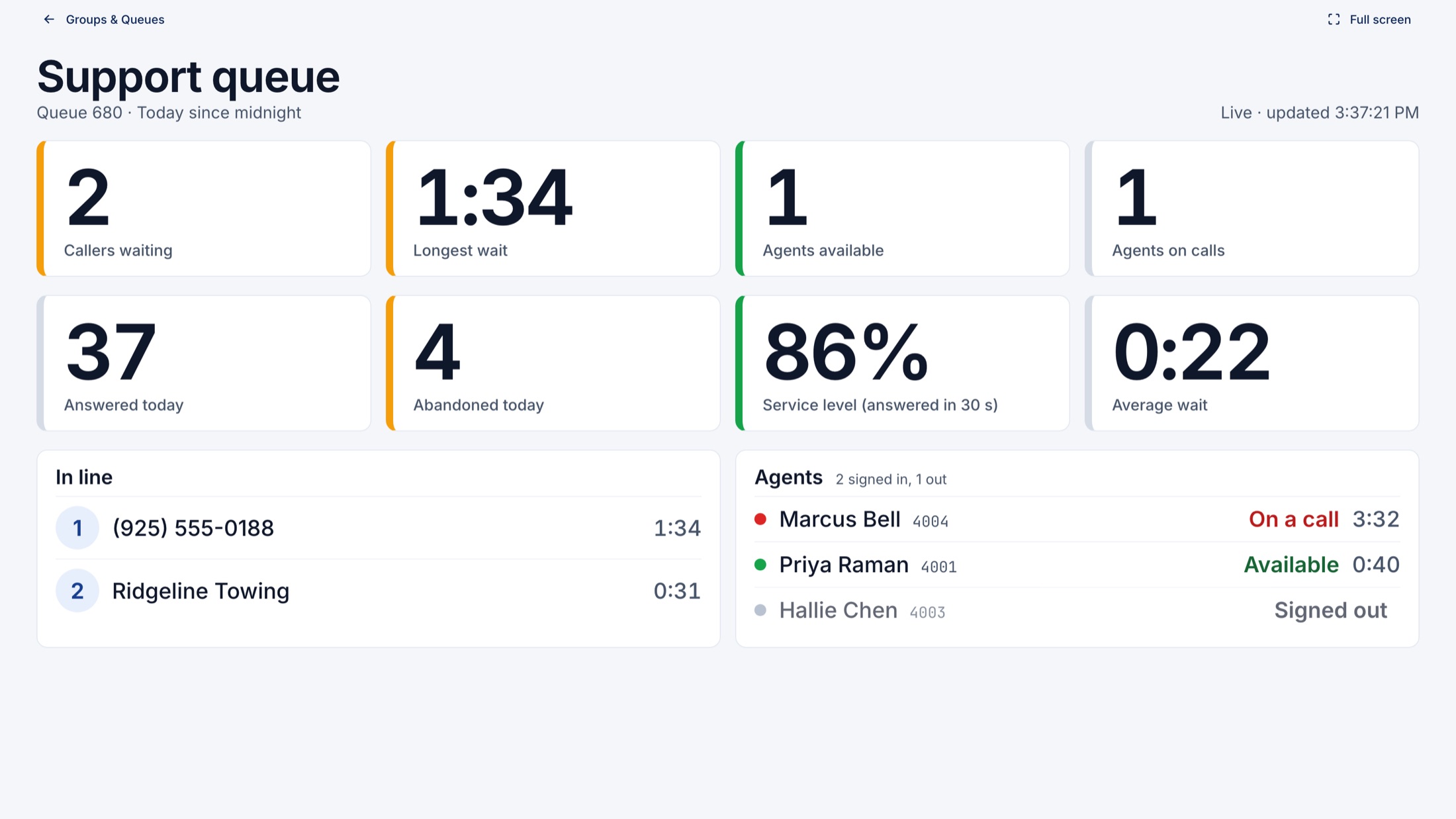
Put a wallboard on any TV: callers waiting, the longest wait, service level and who’s available, updated as it happens.
Desk phones
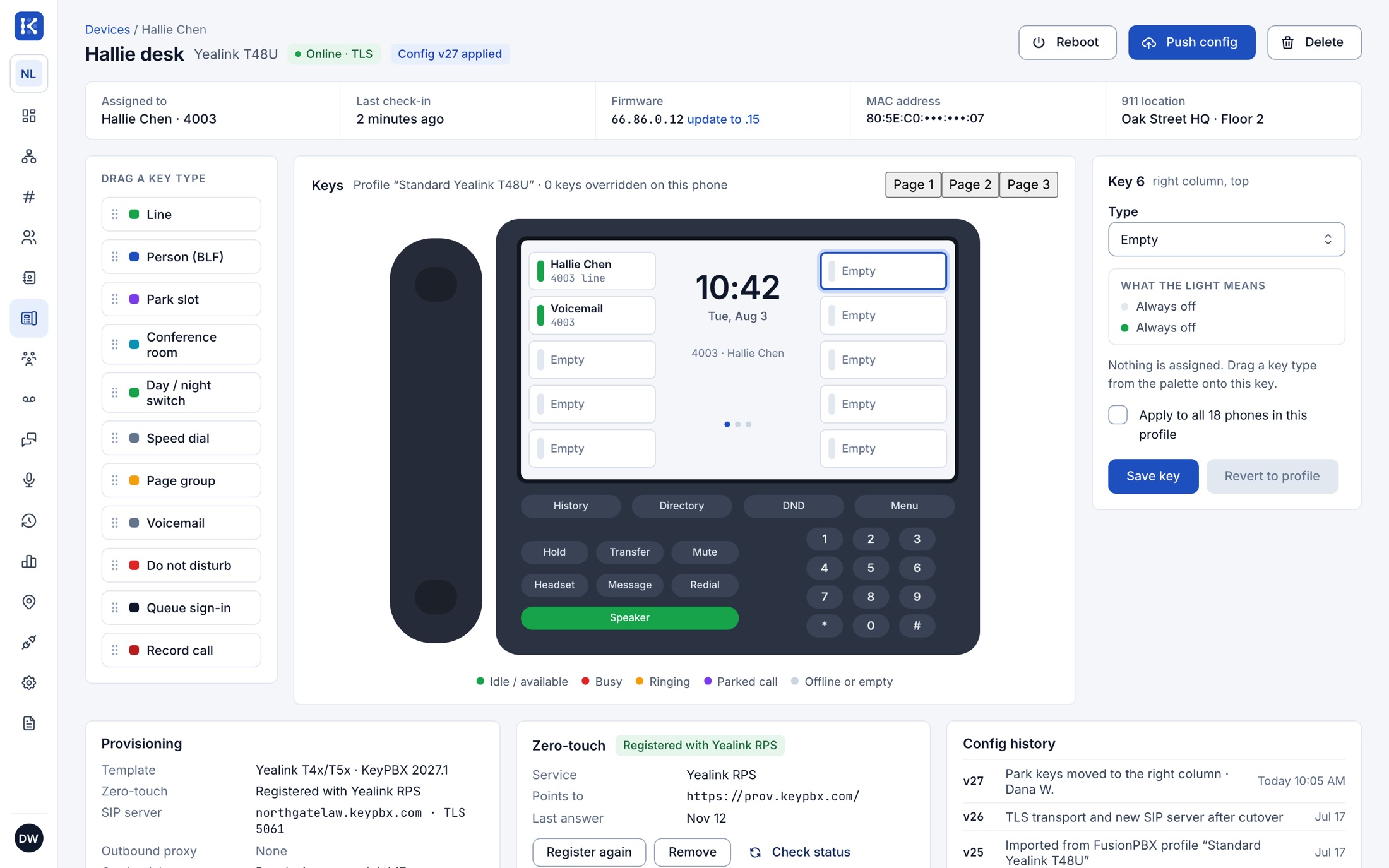
Plug in a supported phone and it finds KeyPBX by itself. Lay out its keys by dragging them into place, and schedule firmware updates for overnight.
New phones register with KeyPBX out of the box. Nobody has to visit.
Lines, people, park slots, day/night, queue sign-in and record, on a picture of the phone.
Change one layout and every phone using it follows, with a history of each version.
Phones connect over TLS, and firmware updates wait for a quiet hour.
Supports Yealink, Poly, Snom, Grandstream and Fanvil phones, plus paging and fax adapters.
Integrations
Show callers’ names from your practice software, keep staff in step with your directory, and send call events wherever you need them.
See who’s calling from your Clio contacts, and log calls and voicemail to the contact and matter.
SCIM 2.0 directory sync. New hires get an invitation; turning someone off stops their phones ringing.
JSON to your HTTPS endpoint when a call ends or a voicemail arrives, signed so you know it came from KeyPBX.
Scoped keys for your own tools. Each does only what it’s allowed to, and you can revoke it any time.
POST https://crm.example.com/keypbx
X-KeyPBX-Signature: 9f2c…e41a

{
  "type": "call.ended",
  "created_at": "2026-11-24T17:42:09Z",
  "tenant": { "slug": "northgatelaw" },
  "data": {
    "direction": "inbound",
    "fromName": "Maria Alvarez",
    "fromNumber": "+15105550187",
    "extensions": ["605"],
    "talkSeconds": 401,
    "outcome": "answered"
  }
}
Everything included
The features businesses rely on every day are built in, and we keep them up to date for you.
Every message transcribed automatically, in the app and in your inbox.
Never, always or on demand, by person, number or queue, with retention and legal hold.
Send from the browser or by email, receive PDFs, and see a receipt for every send.
Text customers from your business numbers, registered for reliable 10DLC delivery.
Ring everyone at once or in turn, with hold music, sign-in keys and wallboards.
Team mailboxes everyone can hear, where anyone can mark a message handled.
A dispatchable location for every phone, and alerts to the people you choose when someone dials 911.
We port your existing numbers and set up the caller ID name people see.
Every call, searchable, with trends by hour, number and group.
Everyone has their own sign-in, with passkeys or your company directory.
Who changed what and when, for every setting in the Console.
Record by phone, upload audio, or type it and let text-to-speech read it.
Site visits to move your desk phones onto KeyPBX.
Of disruption on switch-over day, in a window you choose.
Years of experience running business phone systems.
Switching to KeyPBX
We do the moving. Your team keeps their numbers, their extensions and their voicemail, and your customers never notice.
Extensions, voicemail boxes and greetings, menus, ring groups and blocked numbers come over intact. Nothing is retyped.
Supported desk phones pick up their new settings remotely: no site visits and no factory resets.
Switch over in a window that suits you, with a one-step rollback if anything looks wrong.
Contact us
Tell us a little about your team. We’ll show you KeyPBX with your own numbers and call flows, and put together a straight quote.
Already a KeyPBX customer? Sign in.
Your message has been accepted. Our team will get back to you.